Themes
A theme recolors the whole workstation: panels, charts, candles, drawing defaults and indicator default colors. TickMint ships with ten built-in themes. TickMint Dark is the default.
Choose a theme
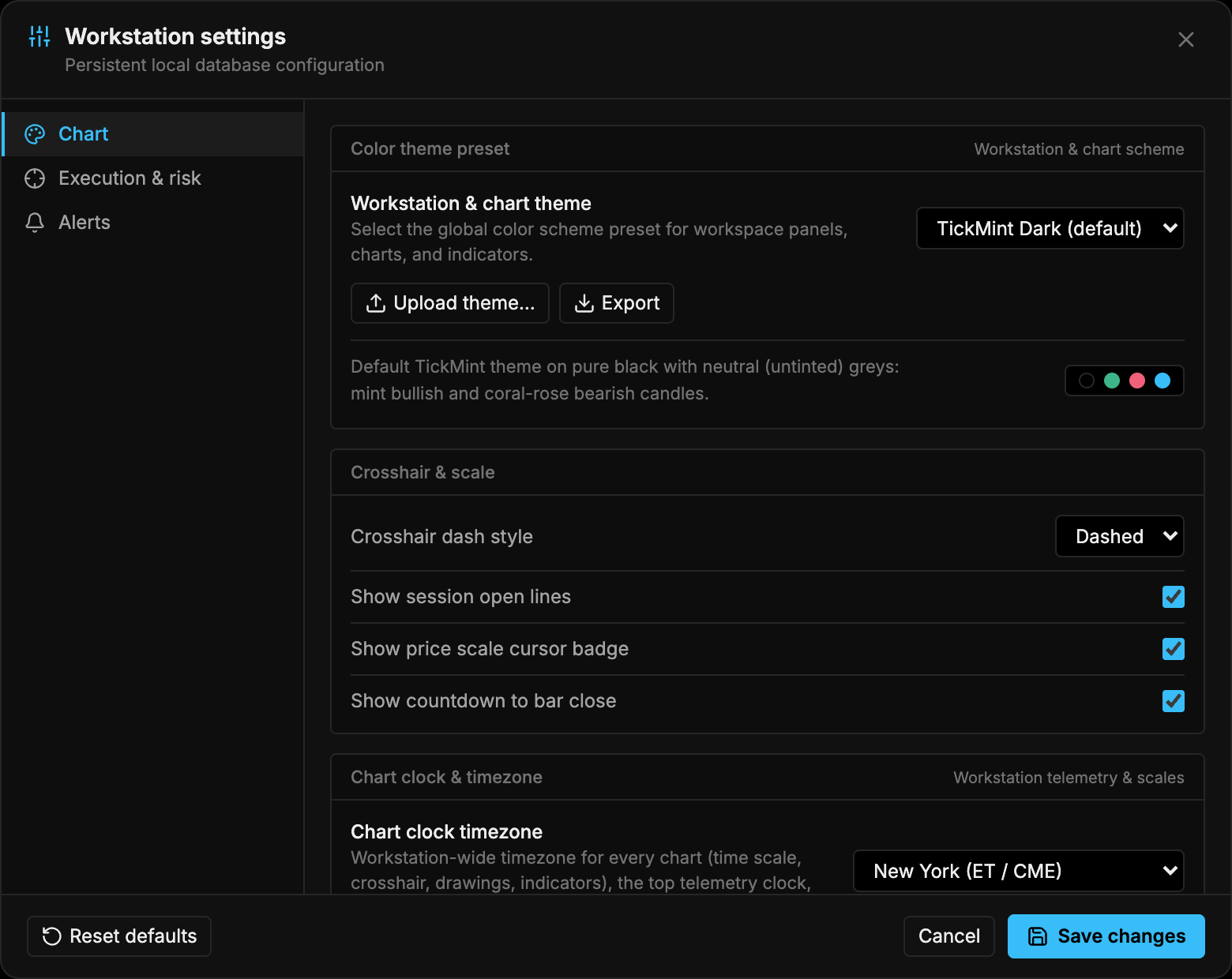
Open Workstation Settings (gear in the header toolbar), go to the Chart tab and pick a Color theme preset. The change previews immediately; click Save in Settings to keep it or Discard to go back. See Settings.
Built-in themes
Pure black with neutral greys, mint bullish and coral-rose bearish candles. The default theme. Id: tickmint-dark.
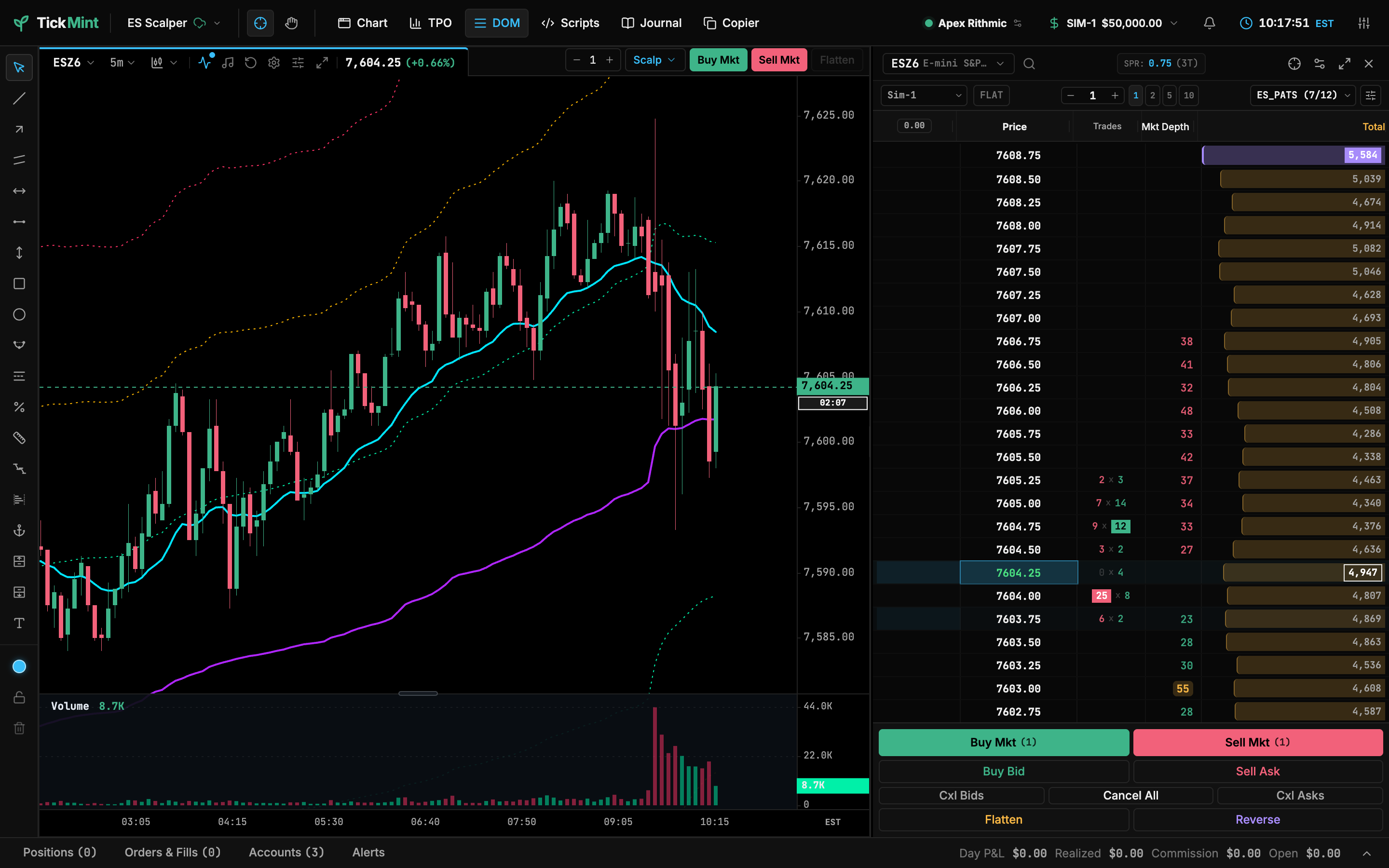
Clean white canvas, mint bullish and black bearish candles with crisp black outlines. Id: tickmint.
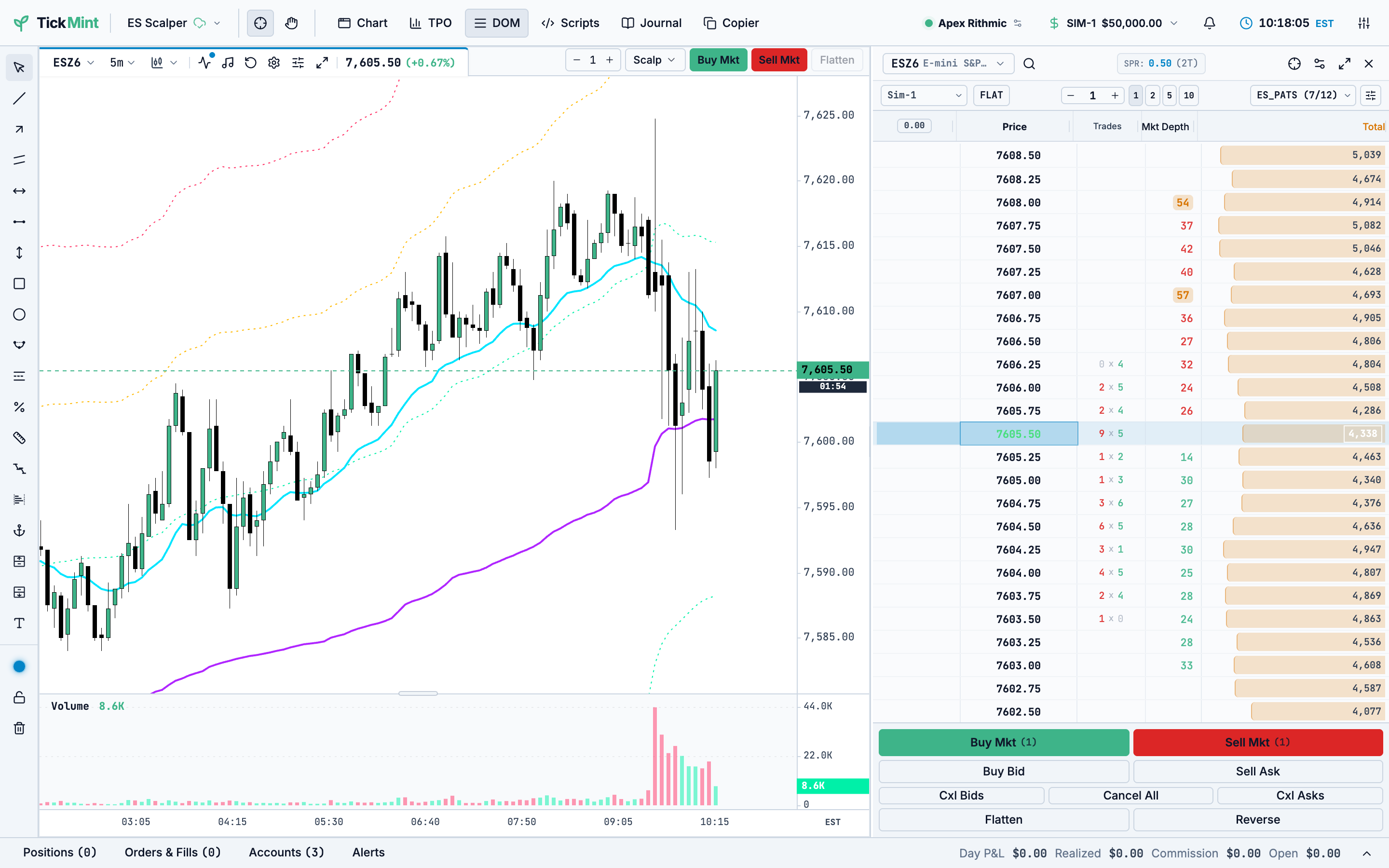
Dark obsidian with neon cyan, emerald bull and crimson bear accents. Id: cyber.
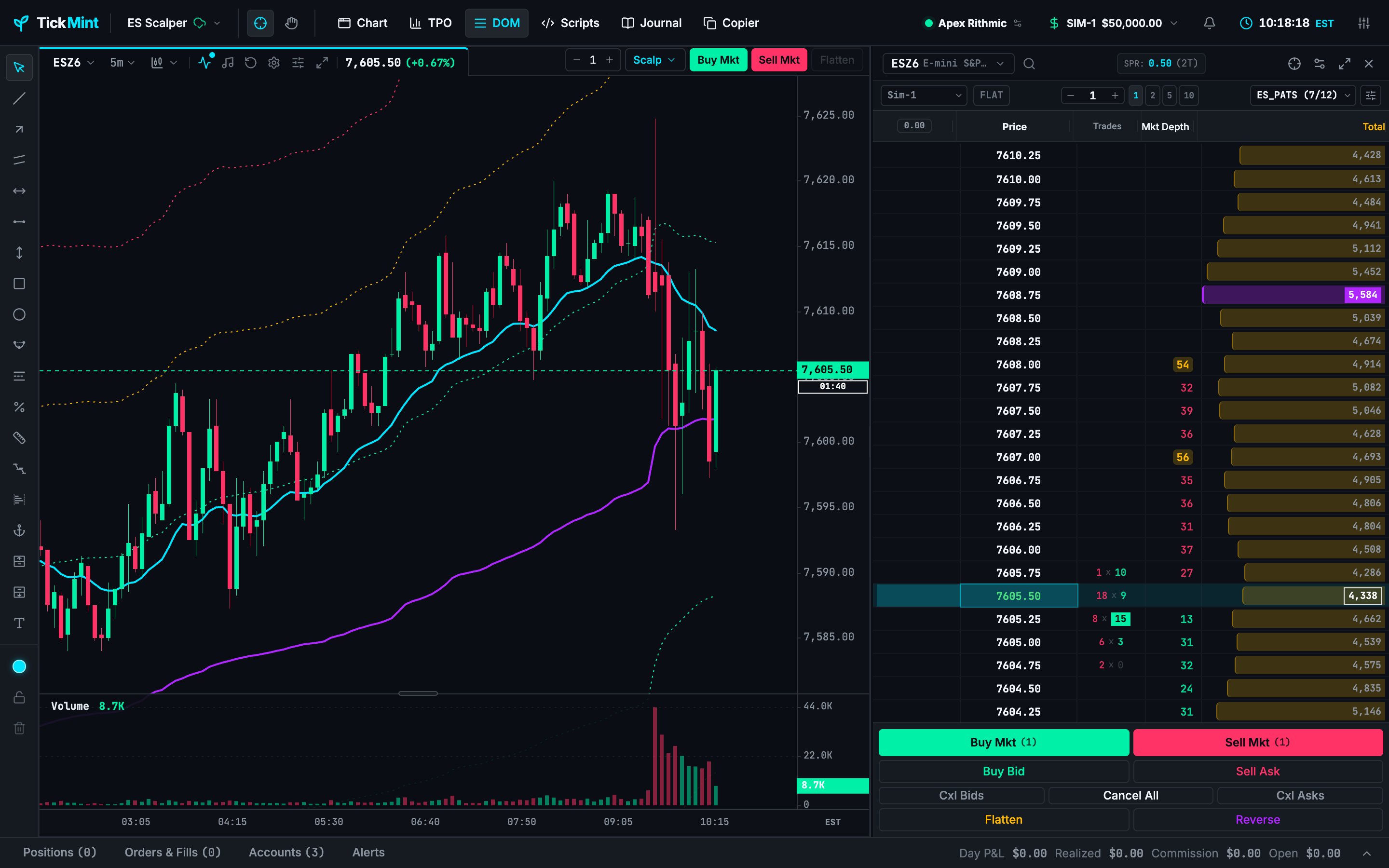
High-visibility light theme with a white canvas, slate accents and high-contrast candles. Id: daylight.
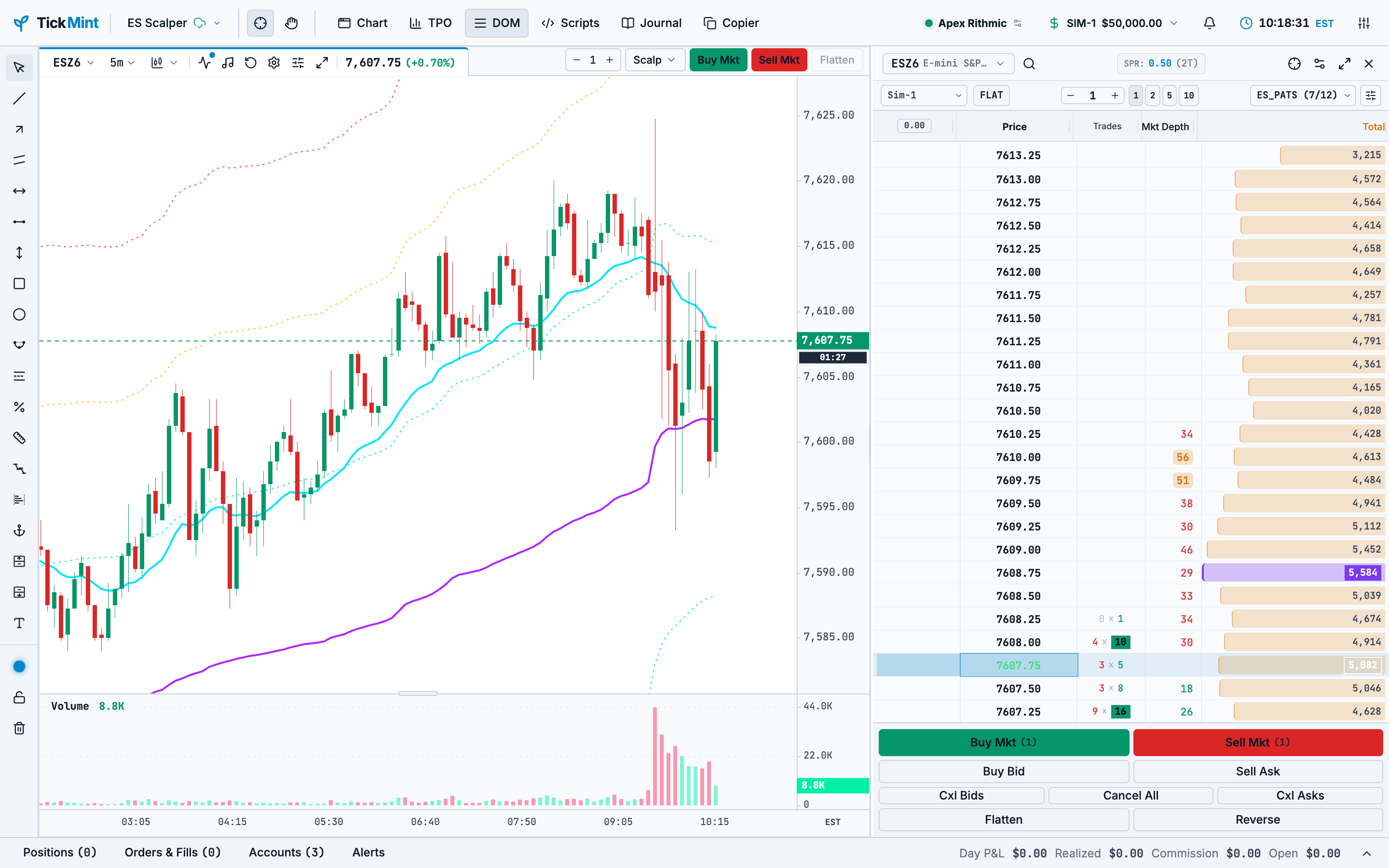
Slate greys without red/green, to reduce emotional color cues. Id: monochrome.
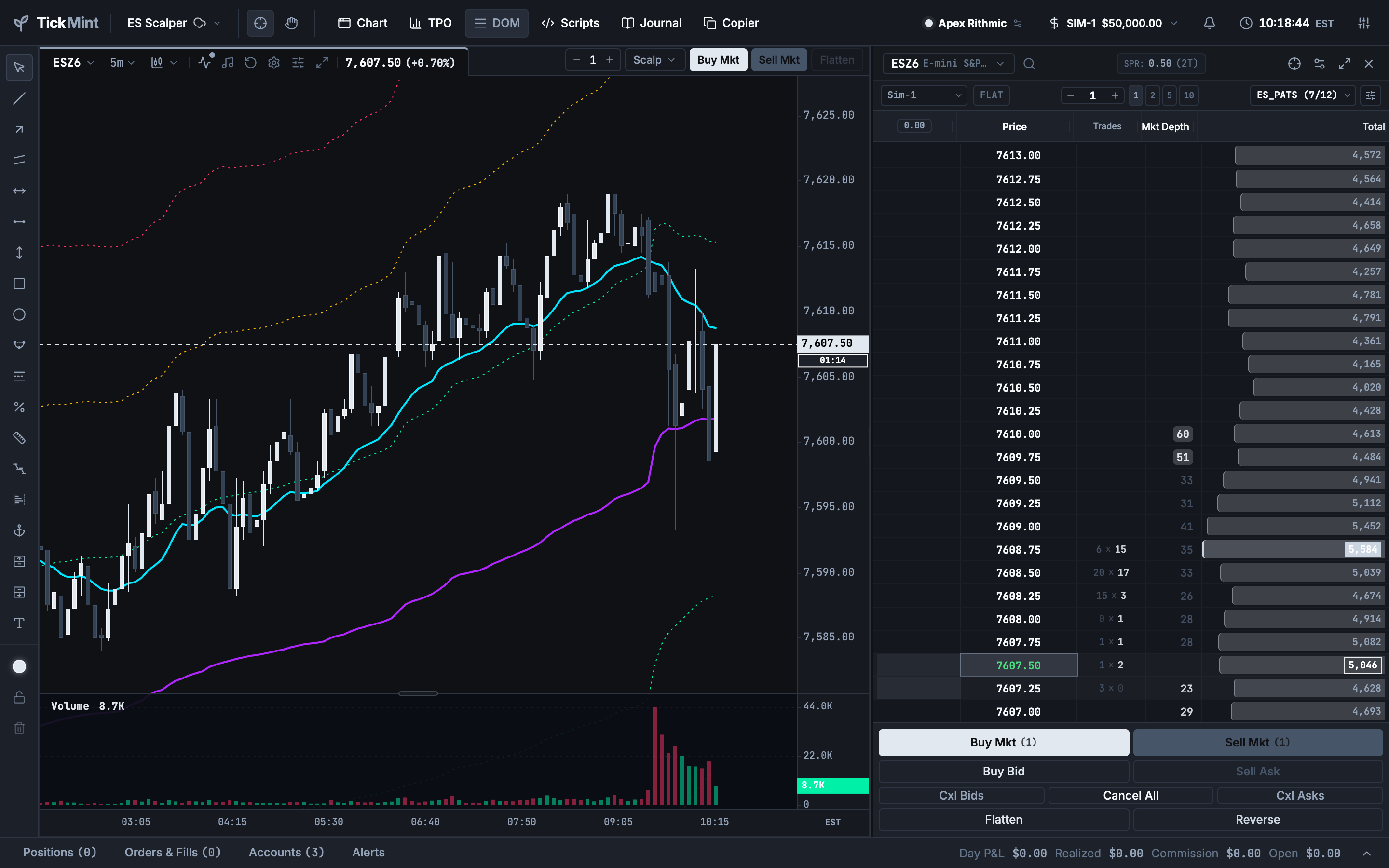
True black background with high-contrast neon accents, suited to OLED screens and order-flow views. Id: oled.
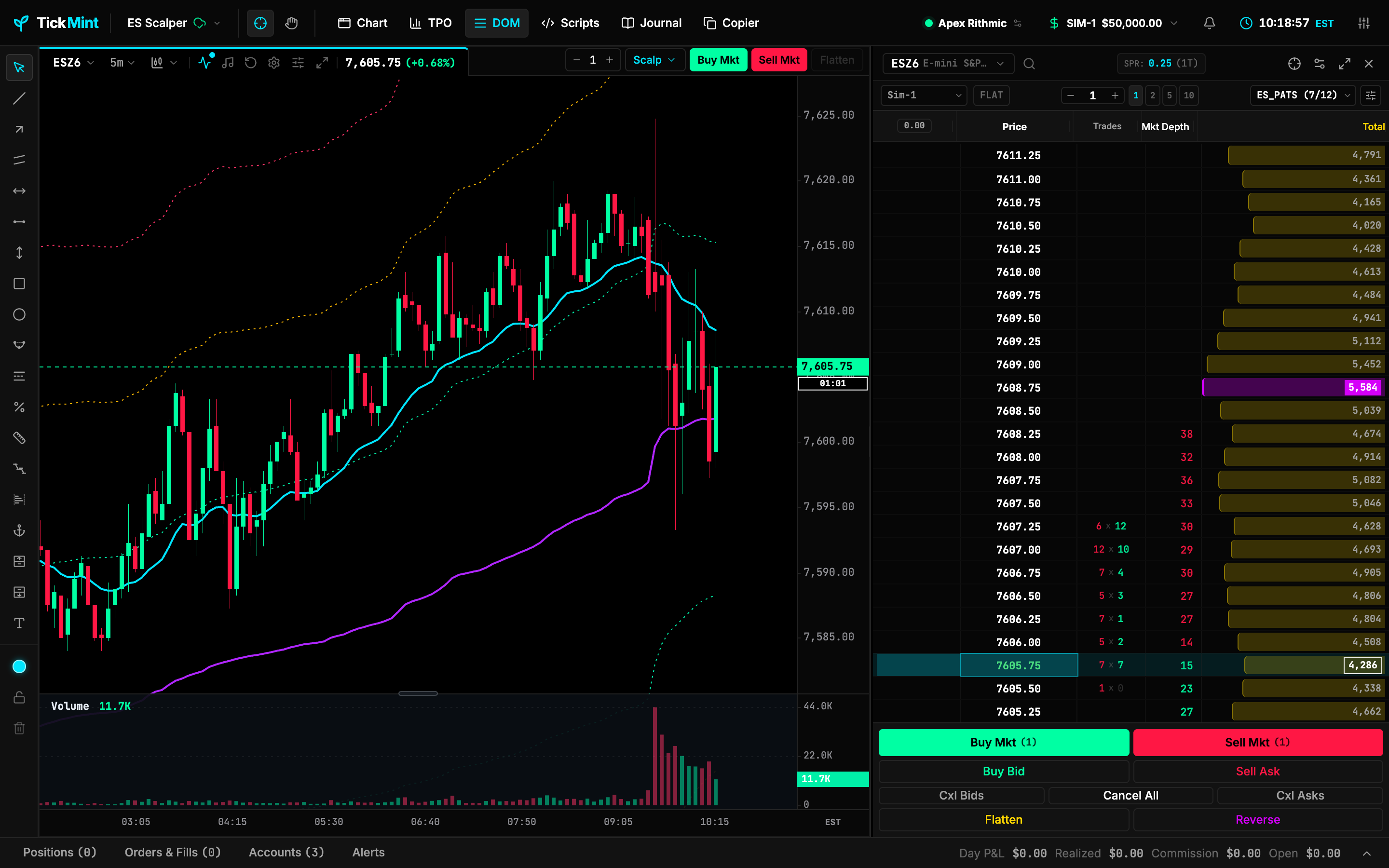
Arctic slate, pastel sage and muted coral for long sessions. Id: nord.
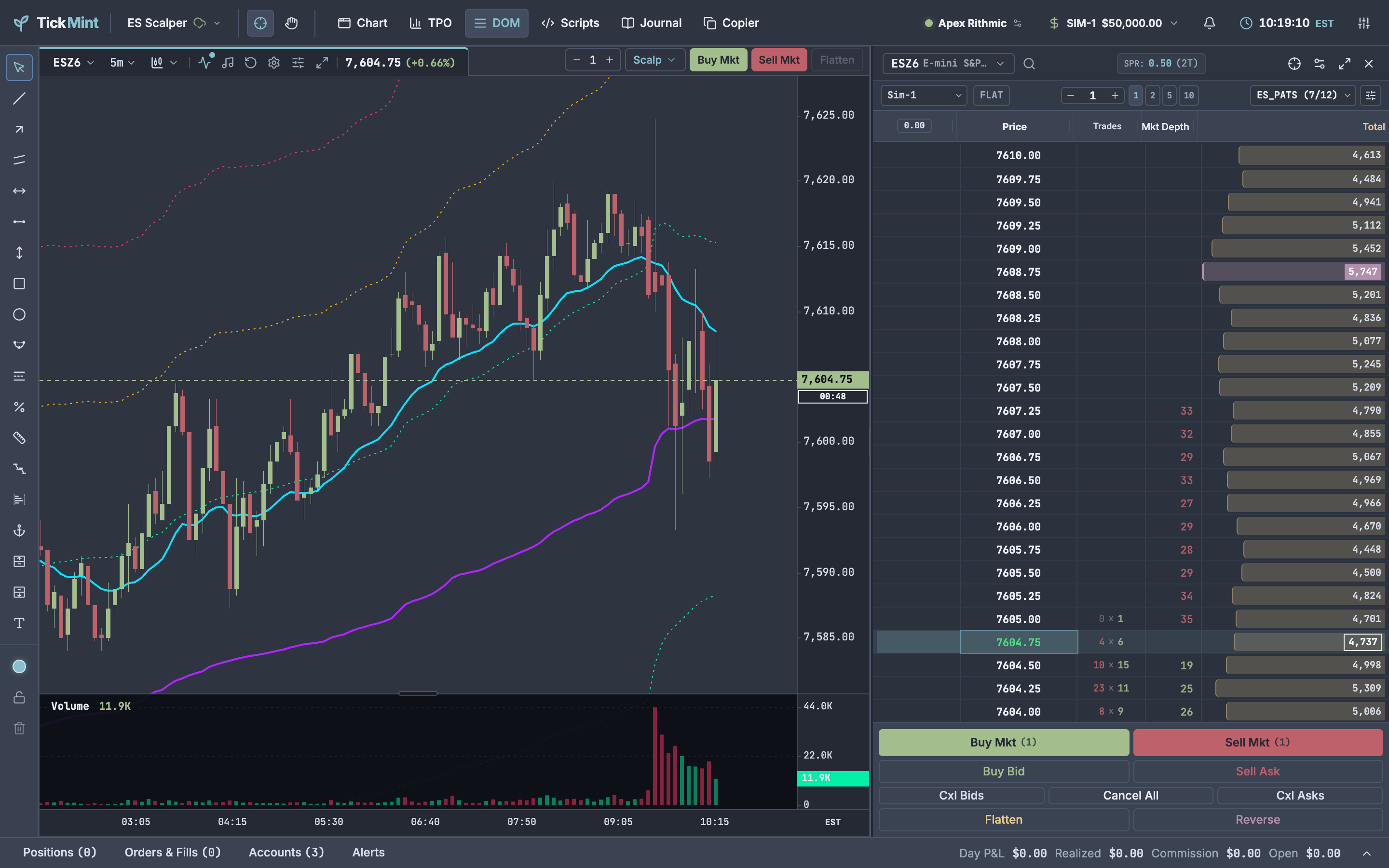
Colorblind-friendly (deuteranopia and protanopia): sky blue and amber replace green and red. Id: accessible.
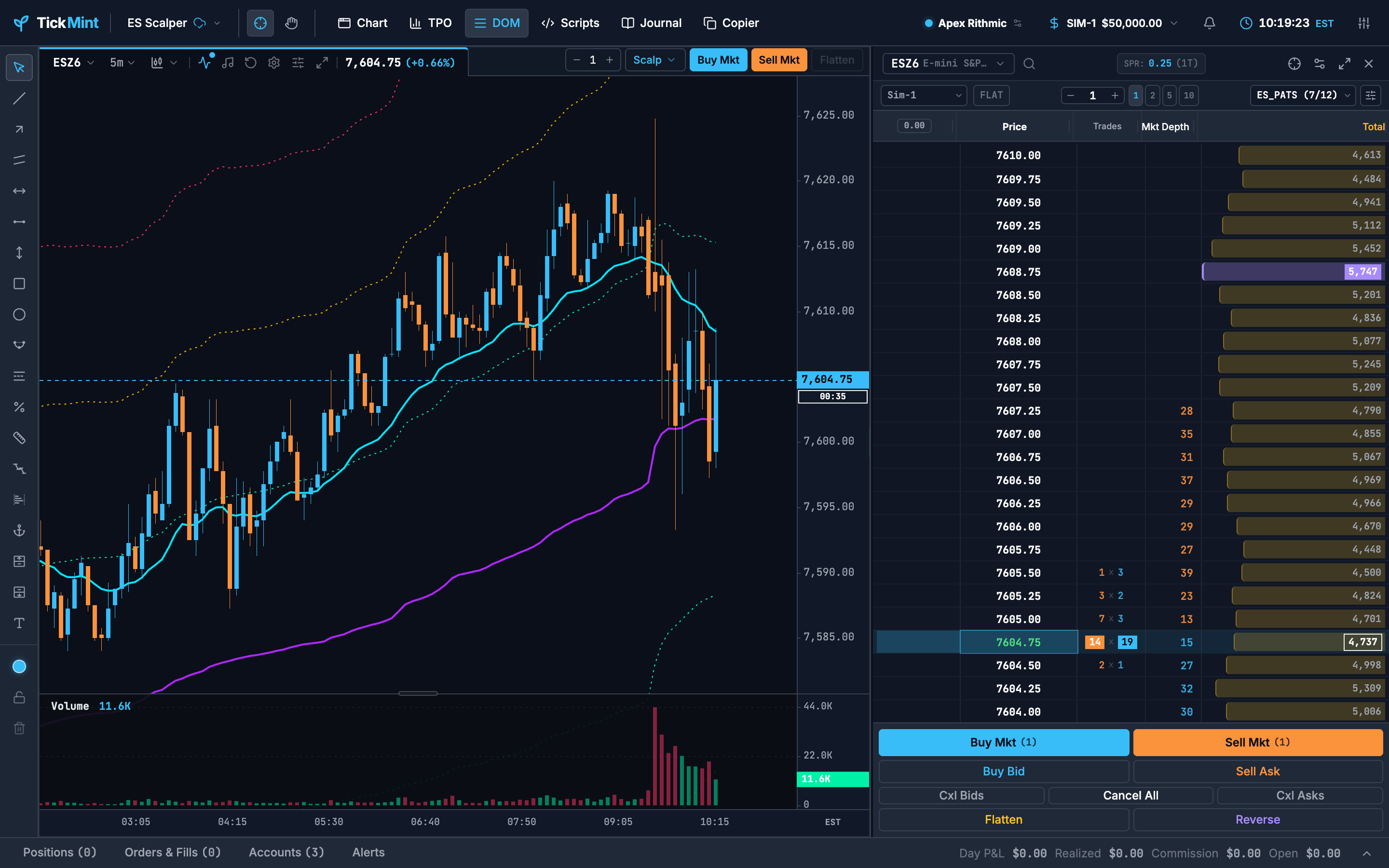
Terminal navy with phosphor-green candles, ruby bear bars and amber scales. Id: terminal.
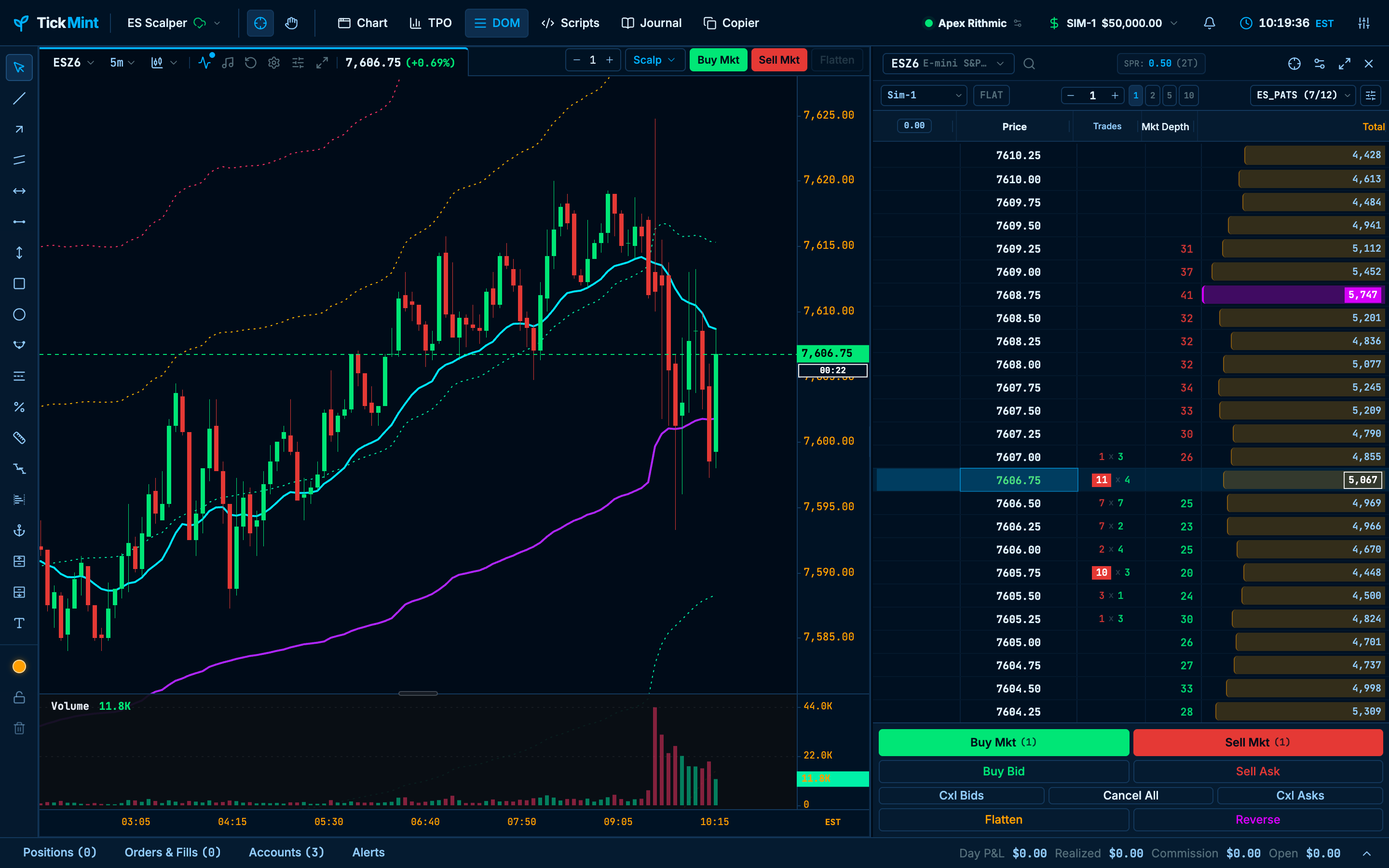
Deep indigo with neon lime, strawberry rose and lavender accents. Id: tokyo.
Custom themes
Under Color theme preset in Settings → Chart:
- Upload theme… (or drop a file on the panel) adds a custom theme.
- Export downloads the selected theme, built-in or custom, as a file you can edit.
- Rename and Delete are available for custom themes only. Deleting the active theme switches back to TickMint Dark.
You can store up to 25 custom themes. They are saved in the local gateway and shared by every window (main window, pop-out charts, Script Editor, Journal).
Upload a theme
- Click Upload theme… and choose a
.tmtheme.jsonfile. TickMint checks it; nothing is saved yet. - Review the dialog: name, base theme, color scheme, swatches, a mini candle strip, and any errors (red, block saving) or warnings (amber), each with its JSON path.
- Click Preview to apply the theme live behind the dialog. Click it again (or Cancel) to revert.
- Click Save & select. The gateway validates and stores the theme and selects it.
- Click Save in Settings to keep it as your theme (Discard returns to your previous theme; the upload stays in the list).
If a custom theme with the same name (ignoring case) already exists, choose Replace existing (keeps its id, so it stays selected wherever it was used) or Keep both (the upload gets a (2) suffix). If the gateway is unreachable, you see “Gateway unreachable, theme not saved.” and the preview reverts.
Theme file format
Theme files use the extension .tmtheme.json (plain .json is accepted), UTF-8, at most 128 KB.
{ "$schema": "https://tickmint.app/schemas/theme-v1.json", // optional, ignored "format": "tickmint-theme", // required, exact "version": 1, // required; only 1 is supported "name": "Midnight Mint", // required, 1–40 characters "description": "Dark with mint", // optional, up to 200 characters "author": "dan", // optional, up to 60 characters "extends": "cyber", // optional built-in id; default "tickmint-dark" "colorScheme": "dark", // optional: "dark" | "light" "ui": { "bg": "#05070A", "bull": "#3EB489" }, "chart": { "gridStyle": "solid", "grid": "rgba(40,40,40,0.5)" }, "candle": { "bull": "#3EB489", "bullBodyOpacity": 0.9 }, "drawing": { "defaultColor": "#3EB489", "palette": [{ "label": "Mint", "value": "#3EB489" }] }, "indicators": { "ema": { "color": "#3EB489", "lineWidth": 2 } }}Every section is optional and partial: the theme is the base theme (extends) plus your overrides. Only the overrides are stored, so later fixes to the built-in base still reach your theme. drawing.palette replaces the base palette; indicator settings merge per indicator. A custom theme can only extend a built-in theme, not another custom theme. Exporting a custom theme downloads exactly the stored file.
Base theme ids: tickmint-dark, tickmint, cyber, daylight, monochrome, oled, nord, accessible, terminal, tokyo.
Fields
| Section | Keys | Allowed values |
|---|---|---|
ui |
bg, surface, panel, subpanel, border, borderLight, hover, bull, bullDark, bear, bearDark, neonCyan, neonAmber, neonPurple, textMain, textSecondary, textMuted |
Hex only: #RGB or #RRGGBB |
chart |
bg, axisBg, axisBorder, axisText, grid, crosshair, badgeBg, badgeText, priceLineColor, priceTextColor, countdownTextColor, countdownBgColor, sessionLineColor |
Hex (#RGB[A], #RRGGBB[AA]) or rgb() / rgba() |
chart |
gridStyle |
"dashed" or "solid" |
chart |
crosshairStyle |
"dashed", "dotted" or "solid" |
candle |
bull, bullBorder, bullWick, bear, bearBorder, bearWick |
Hex or rgb() / rgba() |
candle |
bullBodyOpacity, bearBodyOpacity |
Number 0–1 |
drawing |
defaultColor, fillColor |
Hex or rgb() / rgba() |
drawing |
palette |
1–16 entries of { "label": up to 24 chars, "value": color } |
indicators |
<indicatorId>.<key> |
Only ids and keys that exist in the built-in themes; the value type must match. Numbers: *Opacity 0–1, lineWidth 0.5–8, markerSize / dotSize 1–20 |
Named colors (such as red), var(--x), url(...), gradients and other raw CSS are rejected.
Errors and warnings
| Problem | Result |
|---|---|
Not JSON, over 128 KB, nesting deeper than 6 levels, more than 2,000 keys, or __proto__ / constructor / prototype keys |
Error |
Missing or wrong format, non-integer version, invalid name, unknown extends |
Error |
version greater than 1 |
Error: “This theme needs a newer version of TickMint.” |
| Invalid color, option or out-of-range number | Error, with the JSON path |
| Unknown section, key or indicator | Warning; the value is dropped |
Low contrast (for example textMain on bg below 4.5:1) |
Warning; saving is allowed |
Unreadable (textMain on bg or panel below 1.5:1, or bull and bear candles nearly identical) |
Critical warning; saving asks “Save anyway?” |