Overview
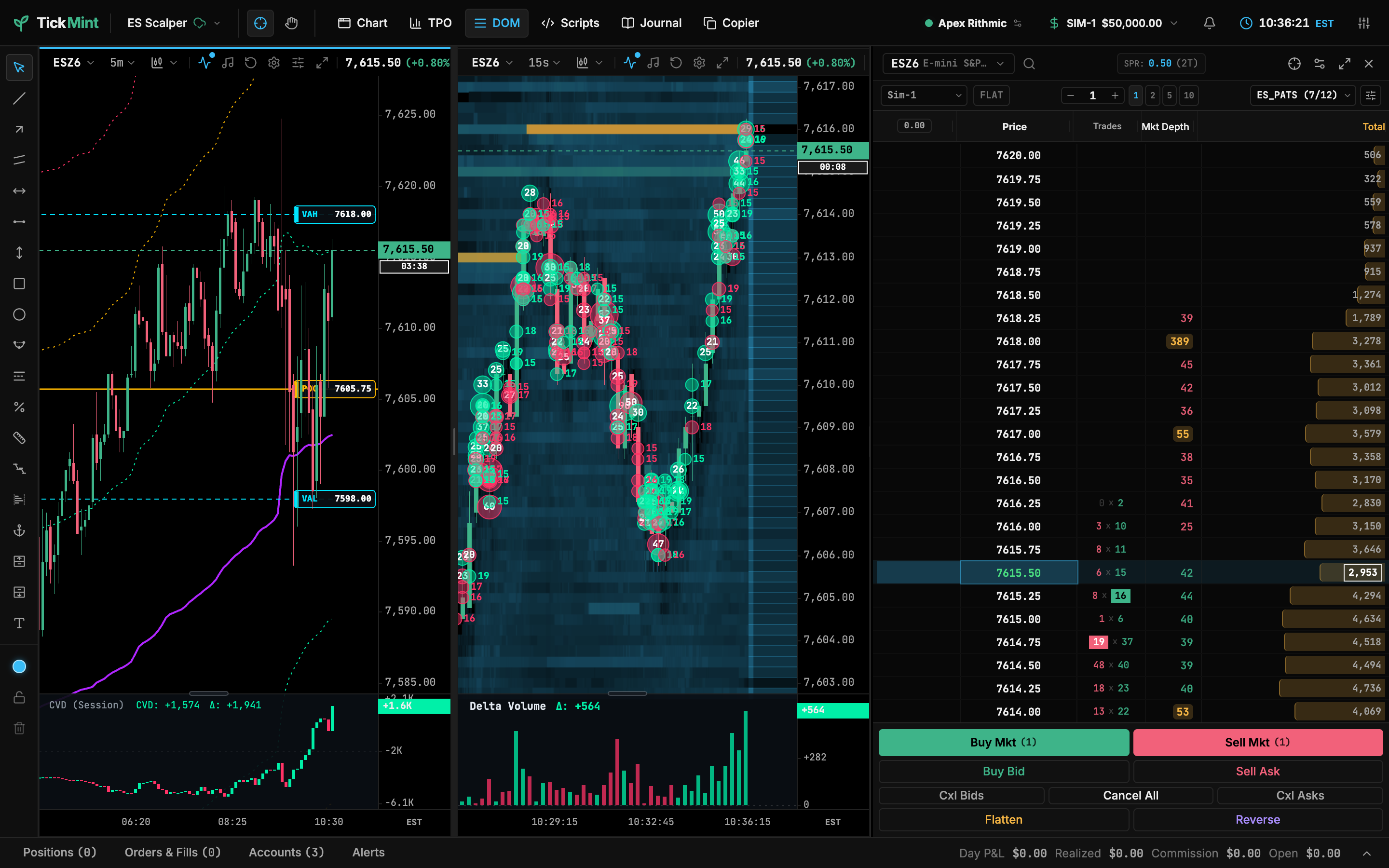
TickMint is a local-first futures trading workstation for Rithmic accounts. It is a desktop app (Electron) that bundles a local gateway and a GPU-accelerated charting and order-entry UI. Your data, settings and credentials stay on your machine.
Who it is for
- Prop-firm traders on Rithmic: Apex, Bulenox, Tradeify, TakeProfit Trader, My Funded Futures and 12 more firms. See Rithmic setup for the full list.
- Order-flow traders who want footprint charts, a liquidity heatmap, big-trade bubbles and cumulative delta on the same screen as the DOM.
- Multi-account traders who want to copy trades from one lead account to several followers, with risk protection.
What’s included
| Area | Highlights |
|---|---|
| Charting | Canvas chart engine; candlestick, Heikin-Ashi, hollow, OHLC, line, equivolume, footprint and volume-profile bars; 18 drawing tools; TPO Market Profile windows. See Chart panel & navigation. |
| Indicators | Trend, oscillator, volatility, volume profile, order flow, market depth, level and news indicators. See Indicators. |
| Trading | Chart trading, a DOM ladder, ATM brackets and the trading dock. See Chart trading. |
| Simulation | The built-in SIM-1 paper account fills against live data. See SIM mode. |
| Trade copier | Lead/follower copying with risk rules, in one or more copier groups. Prop firm rules on copy trading apply. See Lead and follower and Copier groups. |
| Market Replay | Replay recorded Rithmic data and trade it in simulation. See Replay mode. |
| MintScript | Write your own indicators in the script editor. See Script editor. |
| Journal | Automatic trade journal with reviews and reports. See Journal overview. |
| Alerts | Price and indicator alerts, desktop notifications and webhooks. See Alerts and webhooks. |
How it fits together
TickMint runs as two parts on your computer:
- Gateway. A local Node.js service that logs in to Rithmic, streams market data and routes orders. It stores settings, layouts and the journal in a local SQLite database.
- Workstation UI. The app window you trade in. It talks to the gateway over a loopback-only connection.
Nothing is sent to a TickMint cloud service. See Local-first and privacy for details.