Copier Groups
A copier group is one lead account, its followers and a set of group settings. You can run several groups side by side, for example an ES group and an NQ group with different leads, sizes and rules. Each group is turned on and off on its own.
For the basics of a single group, see Lead & follower copying.
The group strip

Each tab shows:
- The group name.
- Copying or Off.
- Followers on out of followers in the group, e.g.
3/3. - A ⚠ when the group needs attention, for example a follower out of sync or risk-halted, or an account conflict.
Click a tab to switch groups. The copier remembers the group you had selected.
Create a group
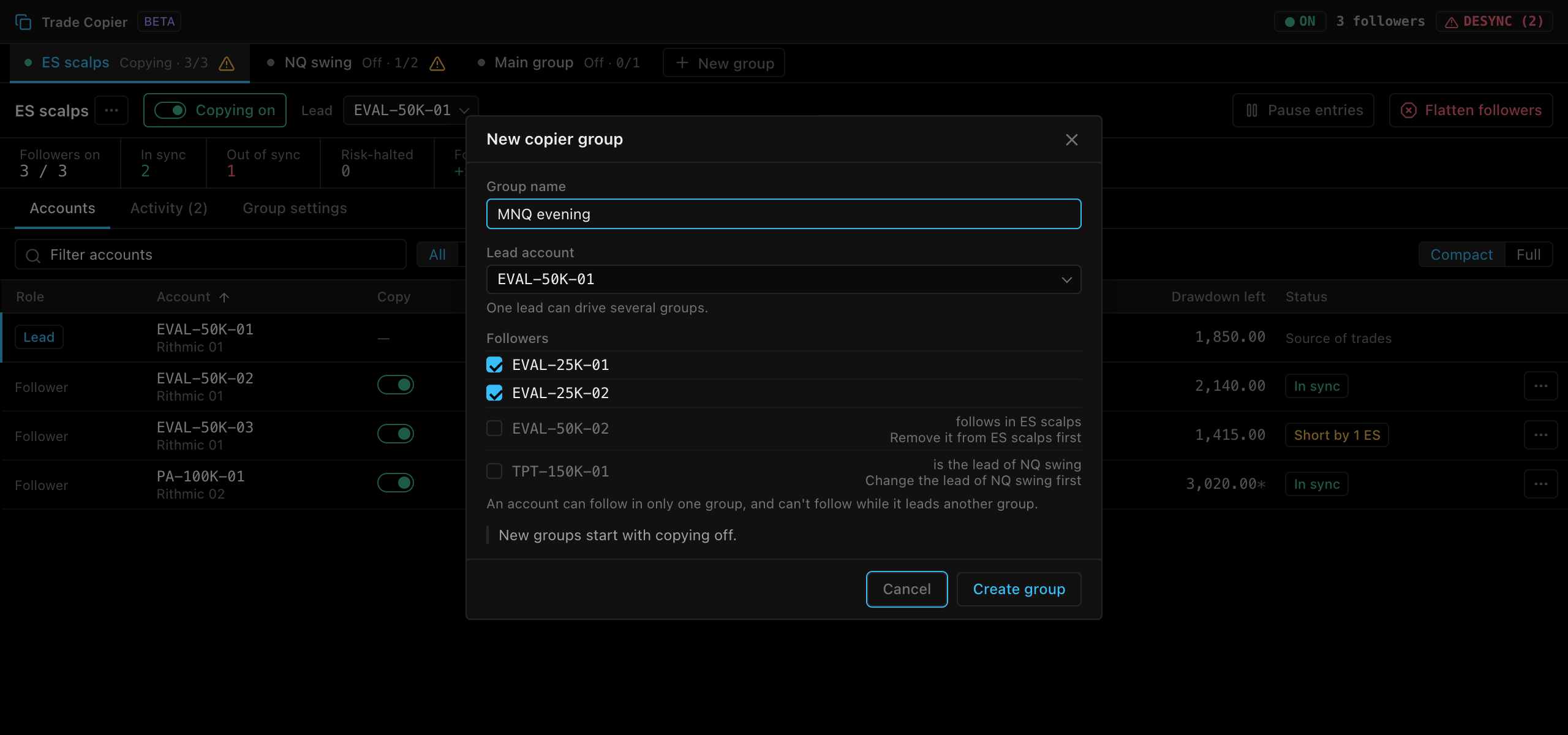
- Click New group in the group strip.
- Enter a Group name (up to 60 characters). The first group defaults to Main group, later ones to Group 2, Group 3 and so on.
- Pick the Lead account. One lead can drive several groups.
- Tick the Followers. Accounts that already follow in another group, or lead another group, are disabled with the reason, e.g. “follows in ES scalps · Remove it from ES scalps first”.
- Click Create group.
New groups start with copying off. New followers are on with a multiplier of ×1, and the group uses the default group settings. Review sizes and limits before you turn copying on.
Membership rules
| Rule | Example |
|---|---|
| One lead can drive several groups. | EVAL-50K-01 leads both ES scalps and MNQ evening. |
| An account can follow in only one group. | EVAL-50K-02 can’t follow in ES scalps and NQ swing at the same time. |
| An account can’t follow while it leads another group. | TPT-150K-01 leads NQ swing, so it can’t follow in ES scalps. |
| A lead can’t be a follower in another group. | You can’t pick EVAL-50K-02 as a lead while it follows in ES scalps. |
To move an account to another group, remove it from its current group and save, then add it to the new one.
On the Accounts tab, accounts that belong to another group are listed under Not available here with the reason and the fix:
| Reason | Fix |
|---|---|
| follows in NQ swing | Remove it from NQ swing first |
| is the lead of NQ swing | Change the lead of NQ swing first |
Account conflicts
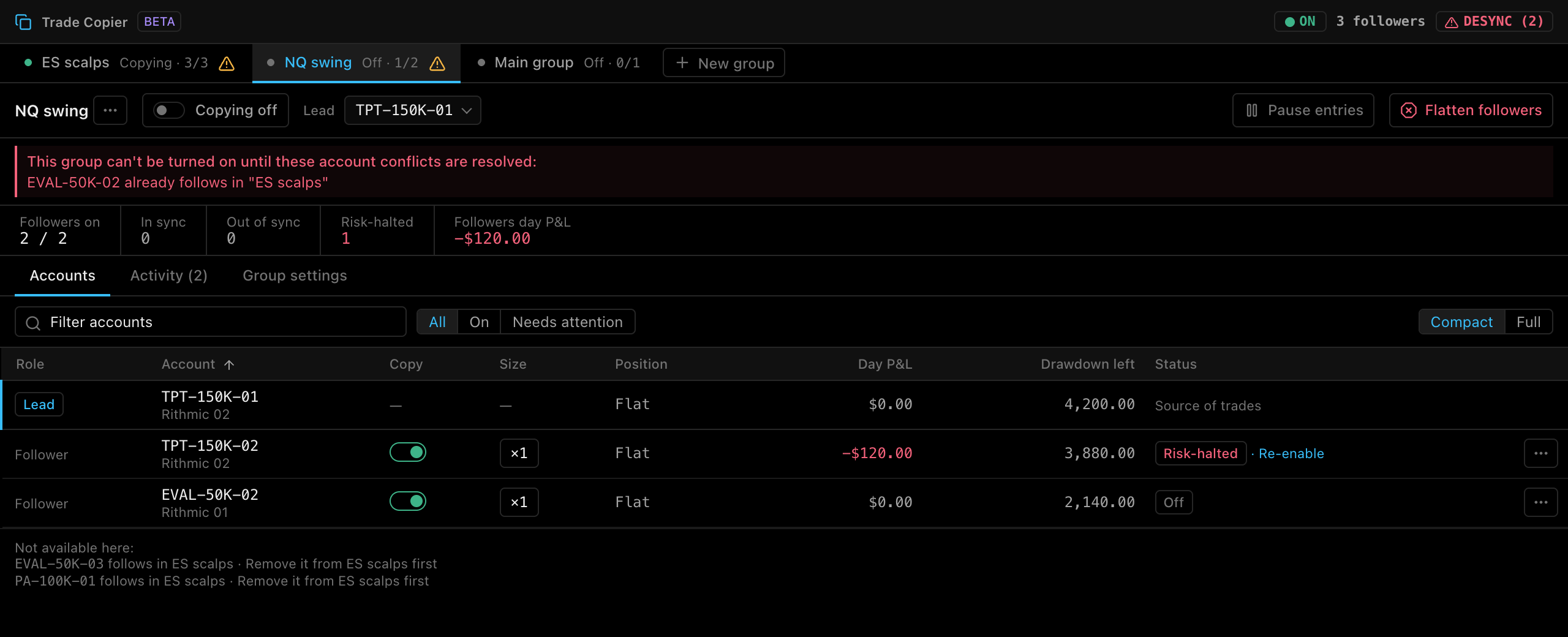
The gateway checks the membership rules every time a group is saved or turned on. If a group breaks a rule, it shows a banner and can’t be turned on.
| Message | Meaning |
|---|---|
{account} already follows in "{group}" |
The account is a follower in another group. |
{account} is the lead of "{group}" |
The account leads another group, so it can’t follow here. |
Lead {account} is a follower in "{group}" |
This group’s lead follows in another group. |
Saves that break a rule fail with Cannot save "{group}": … followed by the conflict. To fix a conflict, remove the account from one of the groups, or pick a different lead.
Rename, duplicate or delete a group
Click ⋯ next to the group name:
| Action | What it does |
|---|---|
| Rename… | Opens Rename group. |
| Duplicate | Creates a new group with the same lead and group settings, with copying off. Followers are not copied, because an account can follow in only one group. |
| Delete… | Opens a confirmation, e.g. Delete NQ swing?. The group and its follower settings are removed. Open positions and working orders on the lead and followers are not touched. Disabled while the group is copying (“Turn copying off before deleting this group”). |
Switch groups with unsaved changes
Edits are saved per group. If you switch to another group while the current one has unsaved changes, TickMint asks to save them first, e.g. Save changes in ES scalps?:
- Save saves the changes, then switches.
- Discard drops the changes, then switches.
- Cancel stays on the current group.
Activity across groups
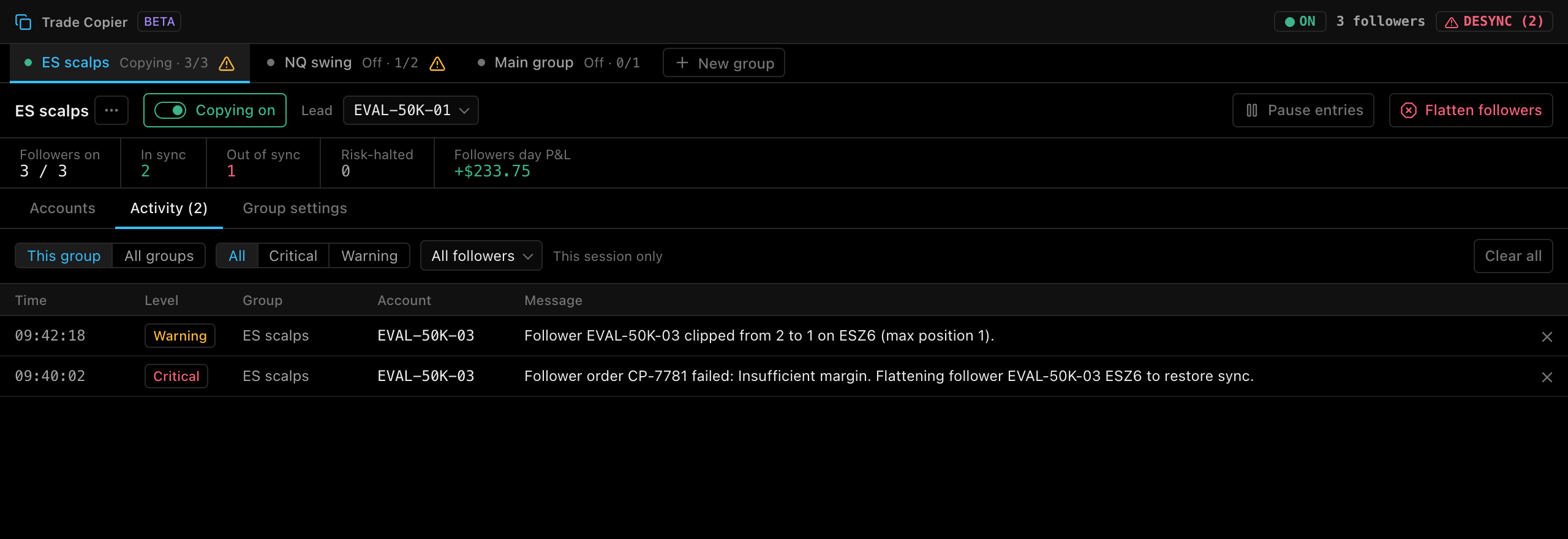
The Activity tab shows copier alerts for the selected group. Choose All groups to see every group’s alerts together. The Group column appears when you have more than one group. See Copier activity and alerts.
Stop everything: Flatten all
While any group is copying, the main window header shows a Flatten all button. It turns every copier group off, then flattens every account. See Emergency Flatten all.