Reports & Export
Reports breaks your performance down so you can see where you make and lose money. This page also covers getting trades in (Rithmic history sync) and out (CSV export and backups).
Reports
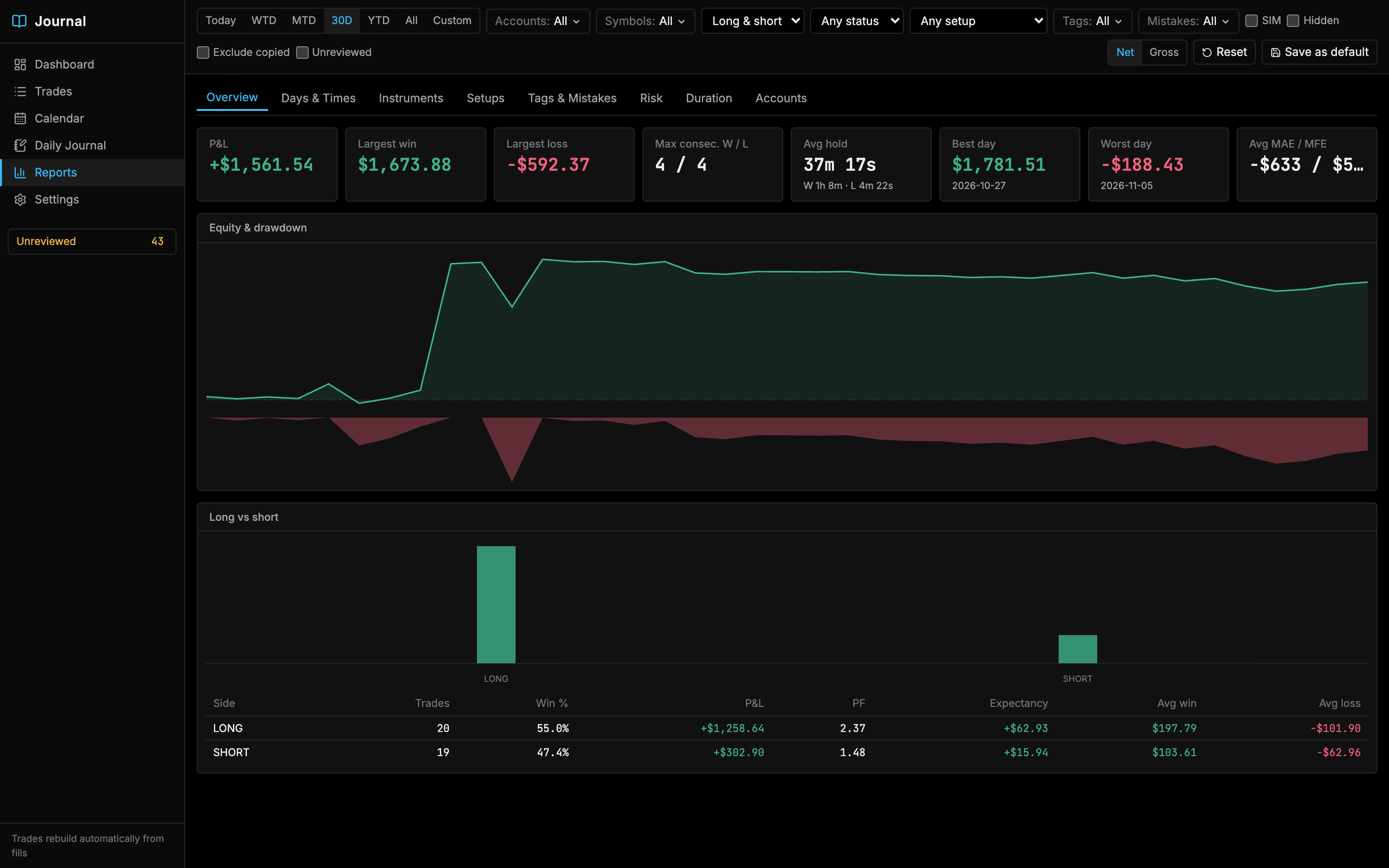
Reports use the filter bar like every other view, and include closed, visible trades only. Open, incomplete and hidden trades are left out.
| Tab | What it shows |
|---|---|
| Overview | P&L, Largest win and loss, Max consecutive wins / losses, Avg hold (winners vs losers), Best and Worst day, Avg MAE / MFE, Equity & drawdown, and Long vs short. |
| Days & Times | Results by weekday, by hour of entry, and a weekday × hour heatmap. |
| Instruments | Results by product, by contract and by position size. |
| Setups | Results for each setup. |
| Tags & Mistakes | Results for each tag and mistake, including the Cost of mistakes. |
| Risk | R-multiple distribution and MAE vs MFE. Needs planned stops and computed MAE/MFE. |
| Duration | Results by holding time. |
| Accounts | Results for each account. |
Breakdown tables show Trades, Win %, P&L, Profit factor, Expectancy, Avg win and Avg loss for each group.
Import history from Rithmic
The journal builds trades from fills recorded while TickMint is connected. To fill in older trades, pull your order history from Rithmic:
- Open the journal and go to Settings.
- In Accounts & copier, find the account. History must read Supported.
- Click Sync (“Pull order history from Rithmic”). TickMint backfills up to 30 days.
The Trades view also offers Sync from Rithmic when it’s empty.
Export trades to CSV
- Open Trades and set the filters for the trades you want.
- Click Export CSV.
- The file downloads as
tickmint-journal-YYYY-MM-DD.csv.
The export has one row per trade with these columns:
| Group | Columns |
|---|---|
| Identity | trade_id, account, symbol, root, side, status, trading_day |
| Timing | entry_time, exit_time, hold_seconds |
| Size and price | max_qty, total_qty, avg_entry, avg_exit, points, ticks |
| P&L | gross_pnl, commission, net_pnl |
| Execution | fills, mae, mfe, plan_stop_ticks, plan_target_ticks |
| Flags | copied_from, is_sim, reviewed, hidden |
| Review | setup, tags, mistakes, rating, planned_stop, planned_target, notes |
The file uses standard CSV quoting (RFC 4180), so notes with commas or line breaks open correctly in Excel, Google Sheets and pandas. Values that a spreadsheet could run as a formula (starting with =, +, - or @) are prefixed with an apostrophe.
Back up your journal
There’s no built-in backup. To back up, quit TickMint and copy these from the TickMint data folder:
| Item | Contents |
|---|---|
tickmint.db (with any tickmint.db-wal and tickmint.db-shm files) |
Trades, fills, reviews, daily notes, setups, tags and settings |
journal/attachments/ |
Trade and daily screenshots |
See Local-first & privacy for where the data folder is on each OS.